A fresh board
every day
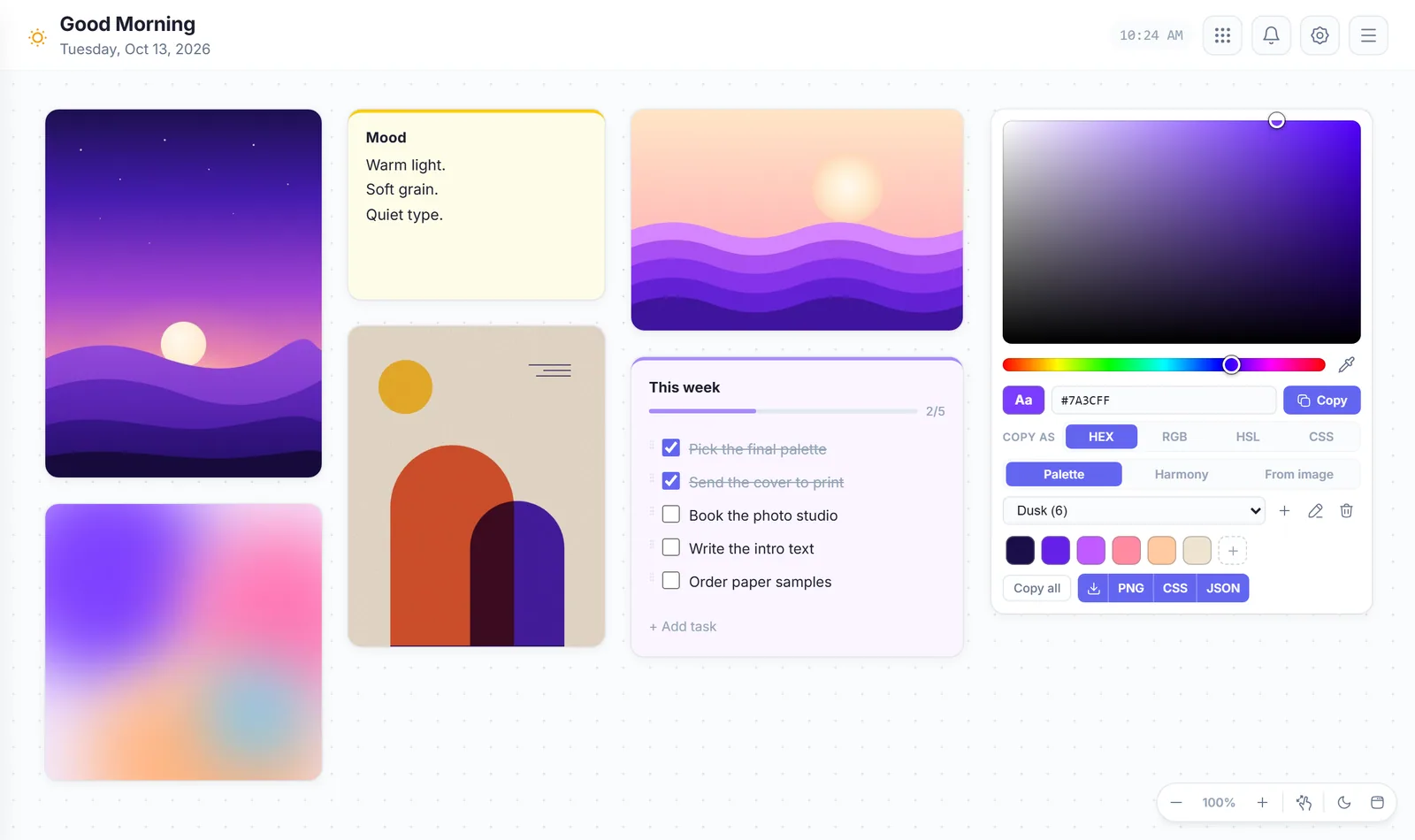
Each day starts with its own board. Drag, resize and zoom as you like. Mark a widget as permanent and it comes back every day. Older boards stay in your history.
VibeBoard turns your new tab into a calm board. Pin notes, pictures, colors, tasks and reminders. Everything stays on your device.
Open a new tab and your board is there. Add only what you need and put it anywhere you like.
Each day starts with its own board. Drag, resize and zoom as you like. Mark a widget as permanent and it comes back every day. Older boards stay in your history.
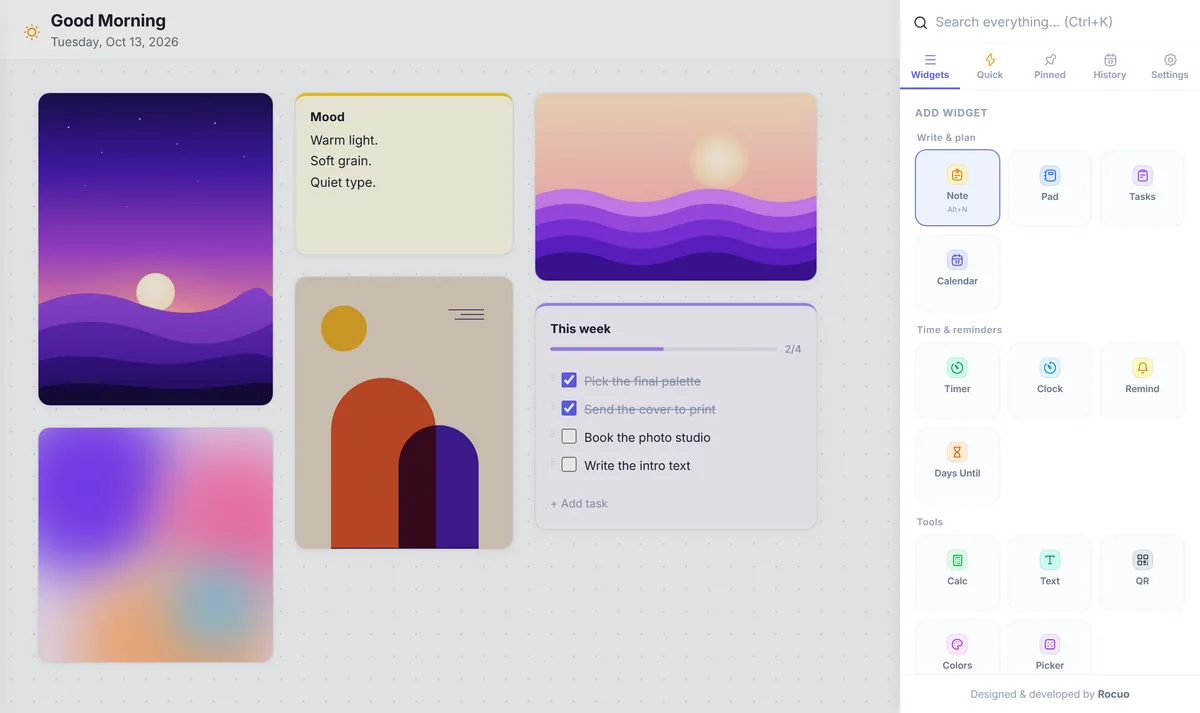
Notes, tasks, a calendar, timers, a color picker, a QR maker and more. Add a widget with one click, or with a shortcut such as Alt+N for a note.
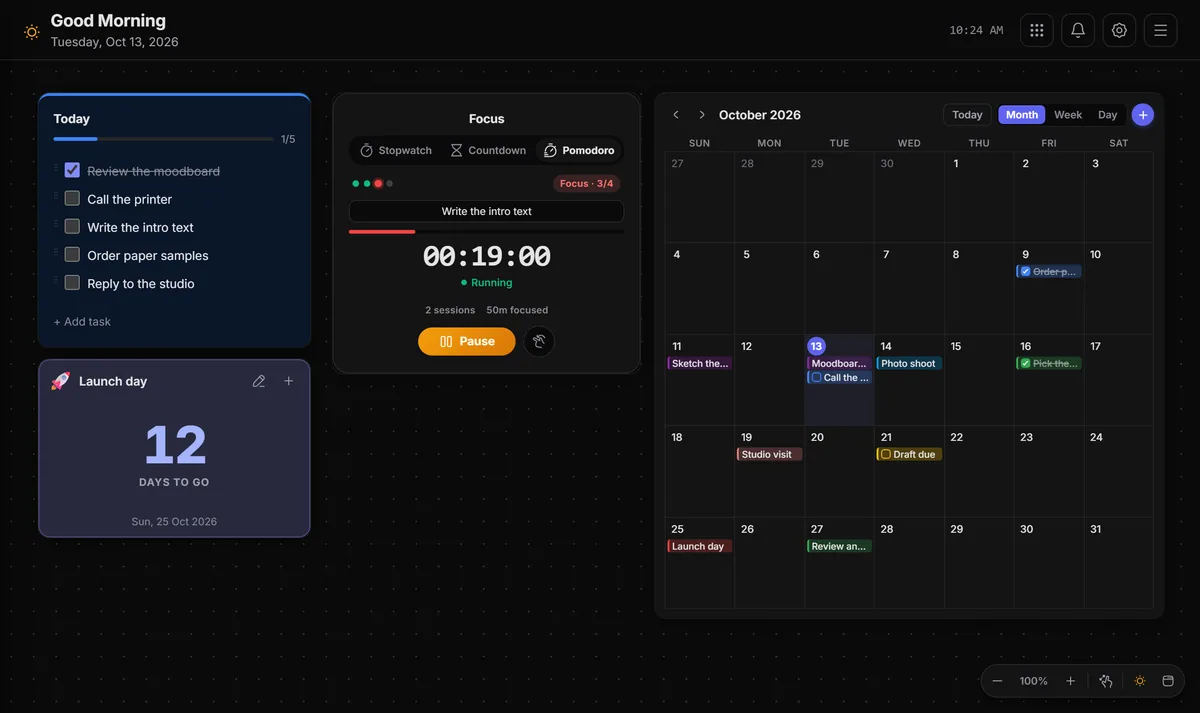
Keep a task list, a Pomodoro timer, a day counter and a month calendar side by side. Light and dark themes are built in.
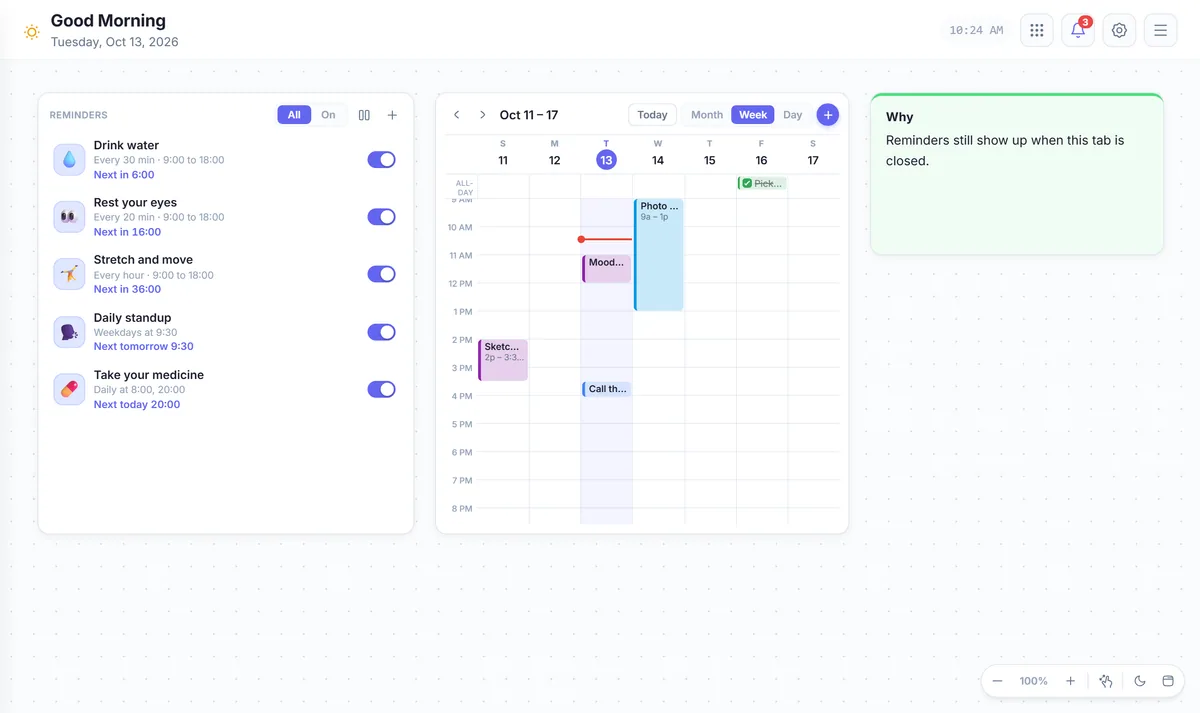
Repeat every few minutes or hours, or pick daily and weekly times. Snooze or finish a reminder right from its notification. Chrome needs to be running.
Everything runs inside the extension. There is nothing else to sign in to or install.
Quick notes in five colors.
Longer text with simple formatting.
Checklists with due dates and reminders.
Day, week and month views with tasks and reminders.
Stopwatch, countdown and Pomodoro.
Keep the time in several cities.
Repeating reminders, even with the board closed.
Count the days to an event, or since one.
Basic, percentage and ratio modes.
Change case, clean up text and count words.
Make a QR code and save it as PNG or SVG.
Pick colors, build palettes and copy HEX or RGB.
Pick a name, make teams, roll dice or flip a coin.
Pin a picture and keep its shape.
Sketch freely and export as PNG.
Play a YouTube video on your board.
Keep files and links on a shelf.
Save a link with its website icon.
A small shortcut tile for a favorite site.
Save text you reuse. Press Alt+\ to search and copy it.
A row of shortcuts to your favorite websites.
Your data stays in your browser. Export a backup whenever you want.
Export your boards, notes, calendar events, reminders and quick items as one file. Import it in another browser and carry on where you stopped.
No account, no server of ours, no ads and no tracking. Read exactly what the extension does in the privacy policy.
Chrome asks you before you add any extension. Here is what VibeBoard asks for, and why.
Keeps your settings and reminders on your device.
Wakes the extension at the time of each reminder.
Shows your reminders as system notifications.
It cannot read or change the pages you visit.
It never sees your open tabs or your browsing history.
Website icons and YouTube load only for the links and videos you add.
No sign-up and no setup. Three small steps and your board is ready.
Open the Chrome Web Store page and press Add to Chrome. It is free and needs no account.
Your board is right there. Press Alt+N for a note or Alt+C for a task list. Press Ctrl+B for the side panel with every widget.
Move things around, switch to dark mode and set a reminder. Export a backup whenever you like.
Free, with no account, and nothing leaves your device. Add VibeBoard to Chrome in a few seconds.
Available in theChrome Web StoreFREE · NO ACCOUNT · NO ADS